
Comparison
Self-comparison and cross-site comparison views for benchmarking energy performance.
AICE Power provides two types of comparison: Auto-comparaison (compare a site against itself over different periods) and Comparaison inter-sites (compare multiple sites against each other). Both are top-level sections in the sidebar.
Auto-comparaison (Self-Comparison)
The self-comparison section has two sub-views: Globale and CVC.
Globale
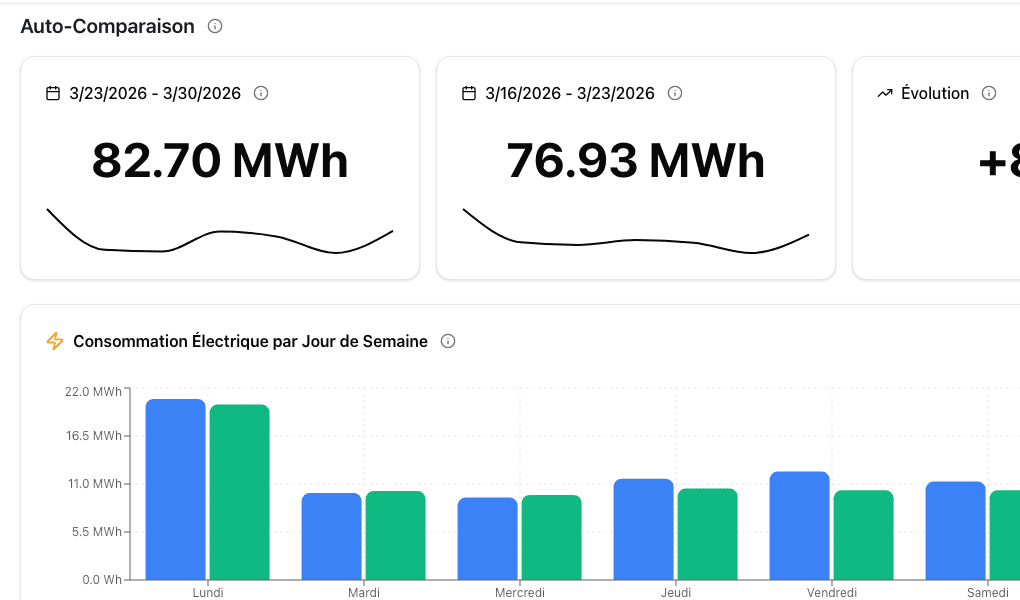
The global auto-comparison page compares your site's overall performance between two time periods (e.g., this week vs. last week).
Stat cards
| Card | Example | Description |
|---|---|---|
| Current period | 82.70 MWh (3/23 - 3/30) | Consumption in the selected period |
| Previous period | 76.93 MWh (3/16 - 3/23) | Consumption in the comparison period |
| Evolution | +8.5% | Percentage change between periods |
Consommation Electrique par Giorno della Settimana
A grouped bar chart comparing consumption by day of the week across both periods. Green bars show the current period, blue bars show the previous period. This reveals patterns like higher weekend consumption or mid-week spikes.
Motif di Potenza 24 Ore (per Giorno)
A 24-hour power pattern chart showing how power demand varies throughout each day, overlaid for both periods. Useful for spotting changes in operating schedules — for example, if equipment is running later into the evening than it used to.
CVC (HVAC Self-Comparison)
The CVC sub-page focuses specifically on HVAC consumption and adds weather context:
- Degres-Jours Unifies (DJU) — bar chart showing heating/cooling degree days for both periods
- Consommation vs Degres-Jours — scatter plot showing the relationship between energy consumption and DJU, with a trend line
This view answers the question: "Did our HVAC consumption go up because the weather was more extreme, or because something changed operationally?" Enable Corrige DJU in the toolbar for weather-normalized values.
Comparaison inter-sites (Cross-Site Comparison)
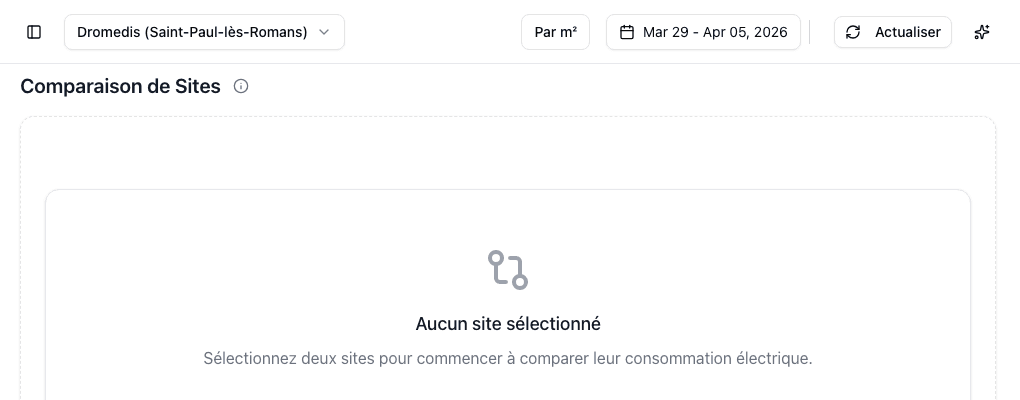
Compare multiple sites side by side. The cross-site section has four sub-views, each focusing on a different equipment category:
| Sub-view | French label | What it compares |
|---|---|---|
| Global | Globale | Total consumption across all categories |
| Refrigeration | Froid | Refrigeration-specific consumption |
| HVAC | CVC | HVAC-specific consumption |
| Lighting | Eclairage | Lighting-specific consumption |
Select two or more sites using the site selector to populate the comparison.
On cross-site pages, additional toolbar controls are available:
- Par m2 — normalize consumption per square meter for fair comparison between sites of different sizes
- Corrige DJU — weather-normalize values to remove climate differences between locations
Tips for effective comparison
Best practices
- Use auto-comparison to track a single site's progress over time
- Use cross-site comparison to identify best practices from your top-performing sites
- Enable Corrige DJU when comparing periods or sites with different weather conditions
- Use Par m2 when comparing sites of different sizes
- The CVC view with the DJU scatter plot is the most powerful tool for separating weather effects from operational changes